FeaturesAutopilots Experimental

A general contractor for your software.

Put a project on autopilot with a direction, and an agent takes it from there. Like a good contractor, it plans the work, runs a crew of sessions to do it, checks what each one did before it signs off, and comes to you only for the decisions that are yours: which design, which plan, the keys it needs.

Put a project on autopilot How autopilots work

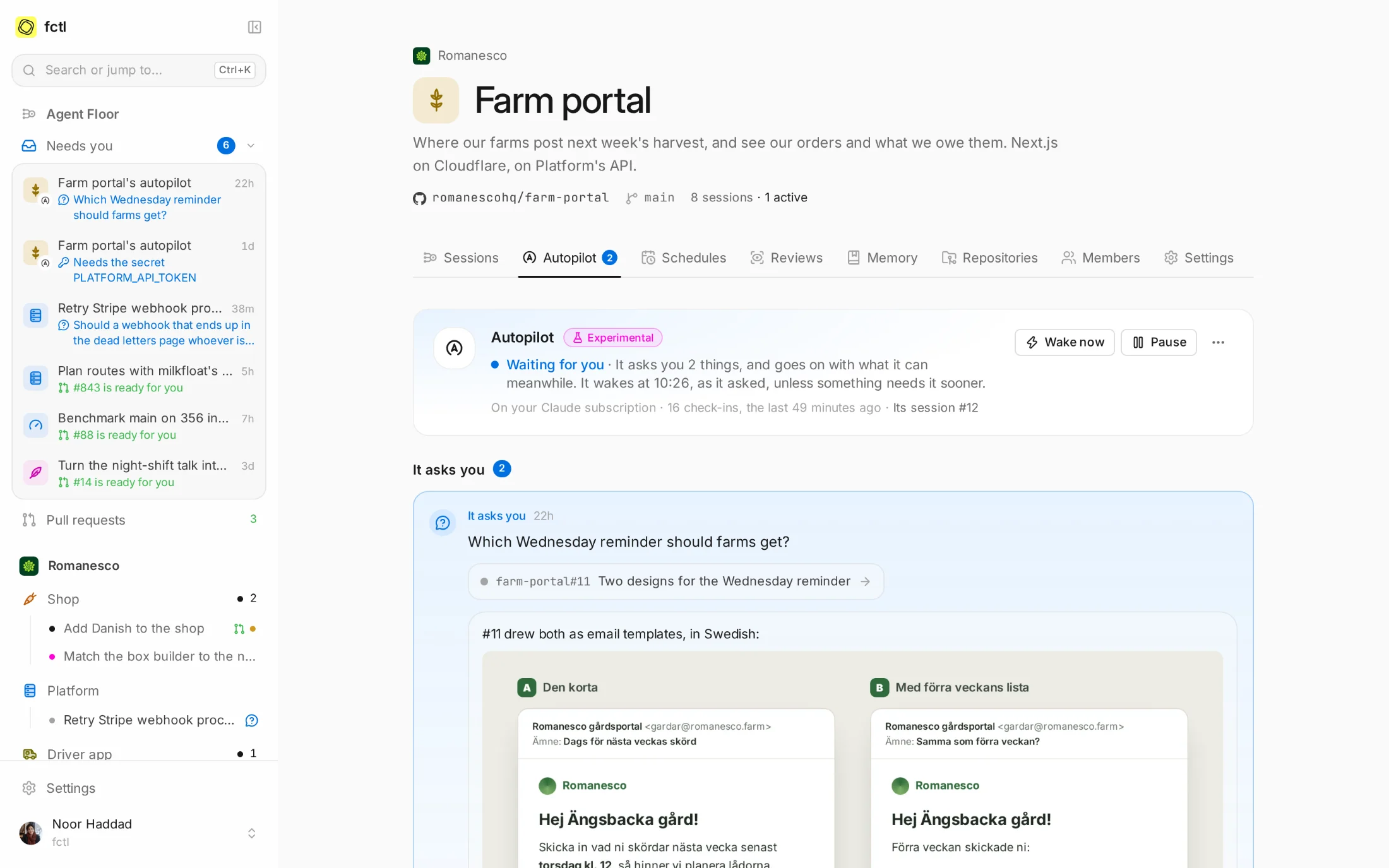
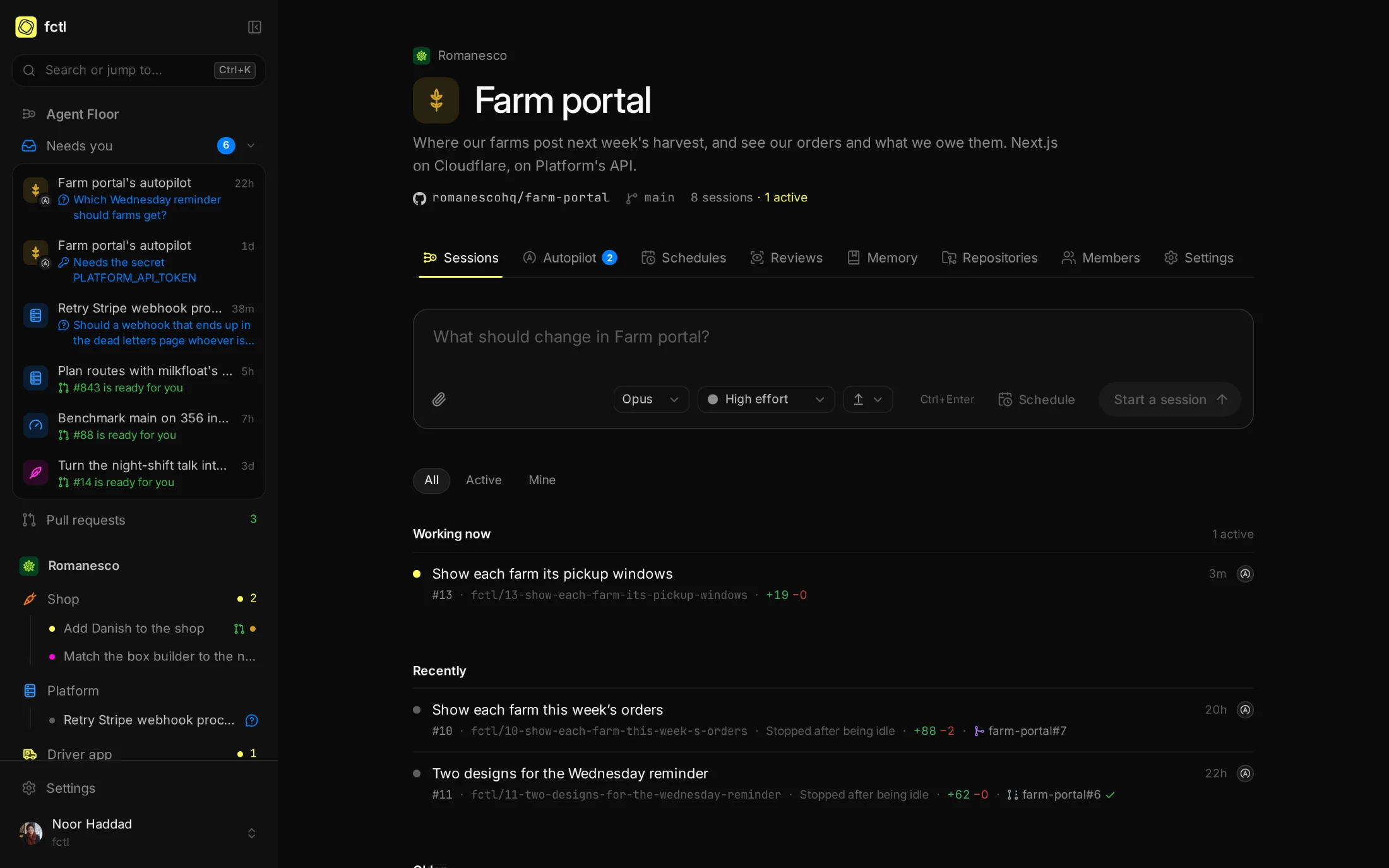
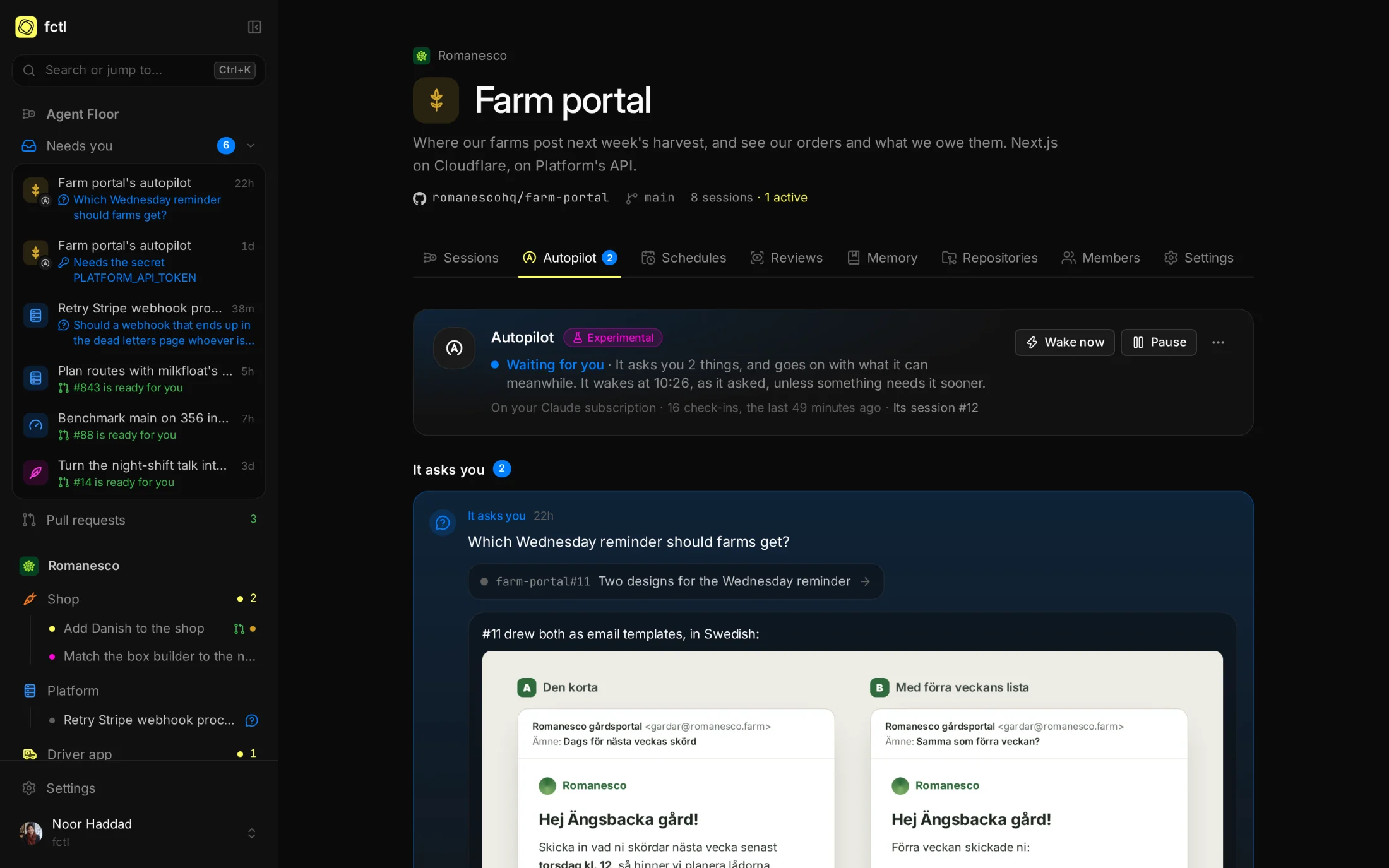
Farm portal's Autopilot tab on Tuesday morning: waiting for Noor, it asks her two things, first which Wednesday reminder farms should get, with the two Swedish emails its session drew side by side. Farm portal's Autopilot tab on Tuesday morning: waiting for Noor, it asks her two things, first which Wednesday reminder farms should get, with the two Swedish emails its session drew side by side.
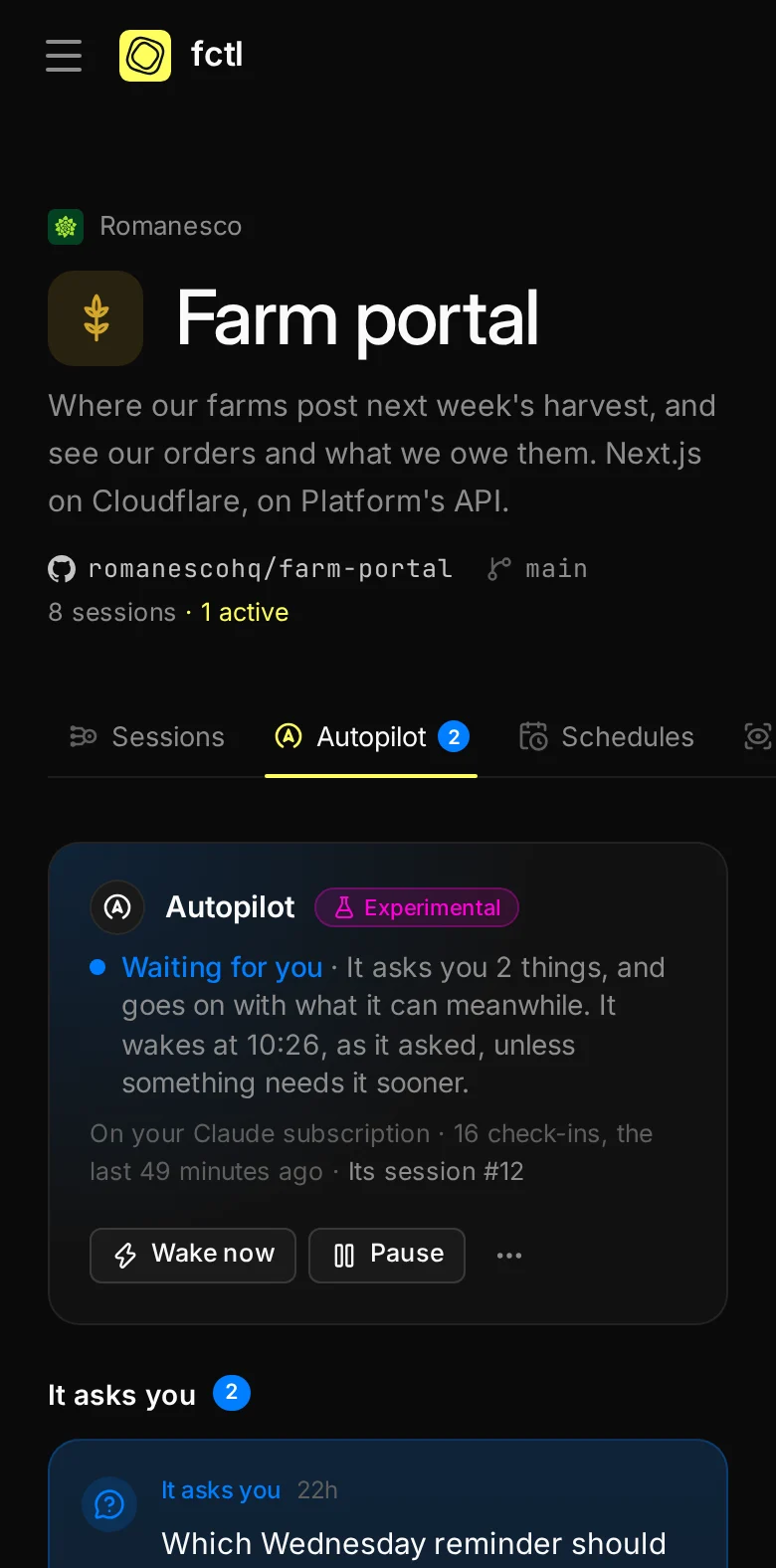
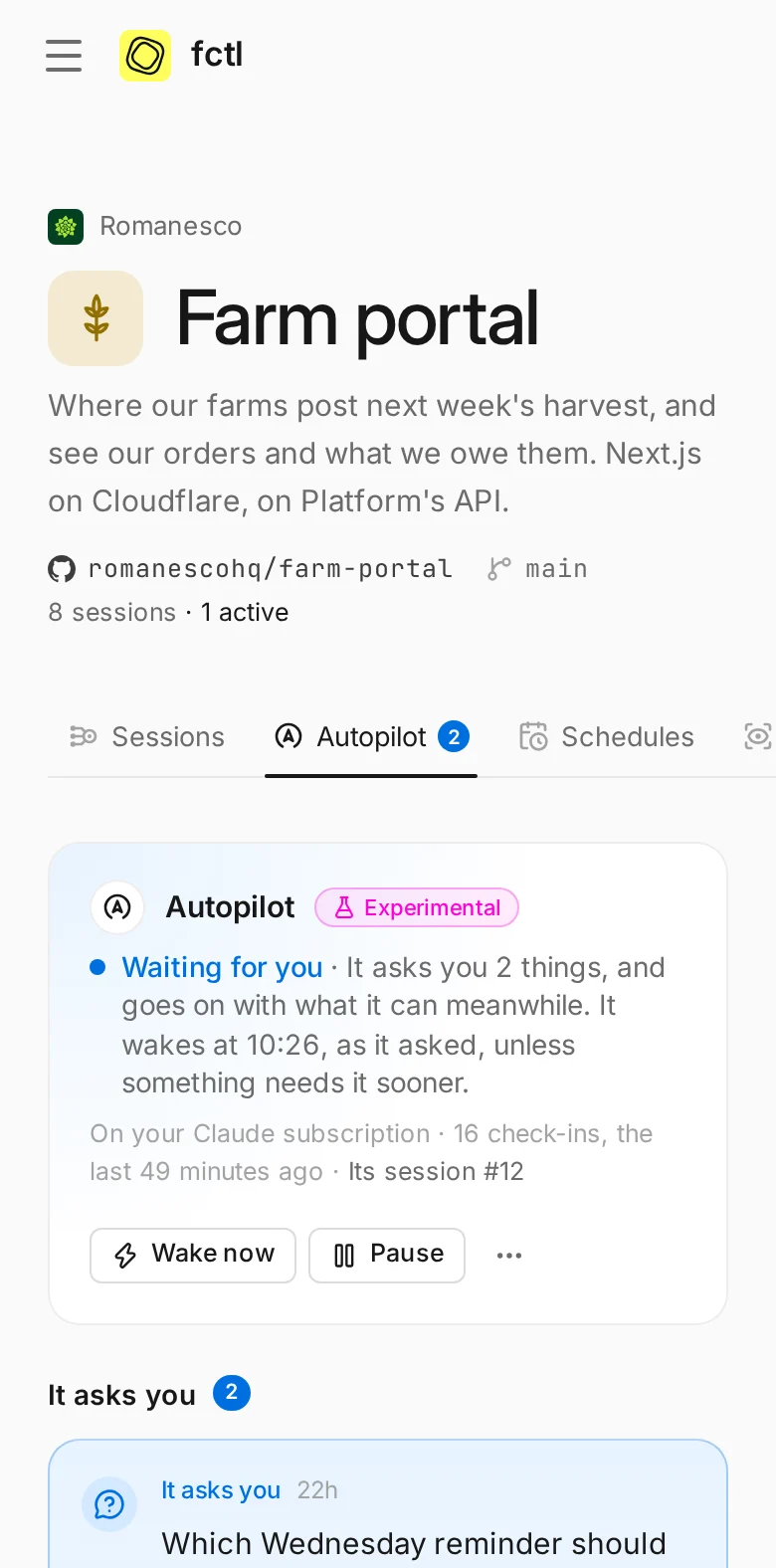
Farm portal's Autopilot tab on a phone: waiting for Noor, with what it asks her below. Farm portal's Autopilot tab on a phone: waiting for Noor, with what it asks her below.
Yours The direction and the limits

What to build, for whom, what to leave alone, and what it may touch. You write it, and change it whenever you like.

Its crew Sessions it starts and steers

Up to eight at once, each with a pull request that merges once its checks pass, so the next one builds on it.

Checked Nothing signed off unread

It reads each session's last turn before it takes its word, and sends the work back when it falls short.

Asked Only what's yours to decide

Questions with answers to click and screenshots to choose from. It gets on with what it can while you think.

It works like a good general contractor.

You don't lay the tiles, and nobody leaves you out either. You say what you want and how far it may go; it runs the job, and brings you the choices that are yours.

A general contractorAn autopilot
You say what you want built, and set the limits.You give it a direction in Markdown, the powers it has, and how many sessions it may run at once.
It hires the trades and schedules them.It plans the work, and starts a session for each part of it, a few at a time.
It checks each trade's work before it signs off.It reads what each session did, sends back what falls short, and merges what passes.
It brings you samples, and you pick the tiles.It asks with answers to click and screenshots of the options, and gets on with the rest meanwhile.
It asks you for the keys.It asks for the secrets it needs: you type them in, they go into the project, and it hears only that they're set.
You walk on site and change the plan whenever you like.Your notes steer it, the newest first, and the direction is yours to change.
It tells you when it's ready for handover.It says what shipped, and asks you to check what no sandbox can.

You stay the client. The decisions are yours, and those are all it brings you.

You write the brief.

A direction says where to take the project, for whom, and what to leave alone. It's Markdown, and the more it says of why, the better the autopilot decides what you didn't say. Write your own, or start from building a product, keeping it healthy, working through its issues or polishing it.

Then how far it may go. It always starts and steers sessions of its own; you choose what else: merging their pull requests once checks pass, changing the project's settings, setting secrets, adding repositories, setting up schedules. And how hard it works: one to eight sessions at once, a check-in from every 15 minutes to once a day, and the model it thinks with.

  • On your subscription, as you. Putting a project on autopilot takes confirming it's you, as a token that does everything would.
  • Let in by an admin. A workspace's admins let its projects have autopilots first, in its settings.
  • Experimental. It acts on its own and may change: watch its tab, and pause it whenever you like.

It hires the crew.

It writes a plan you can read on its tab, and works through it with sessions of its own, a few at a time: as many at once as you allow, and at most 20 an hour. Each gets a task that says what to build, which files its other open pull requests change, and what may merge without its look. Their pull requests merge once their checks pass, so the next session builds on the last.

Its own session shows every wake and why it woke, what it read, and a live card for each session it starts. Its sessions carry its mark in every list, and a link back to its tab.

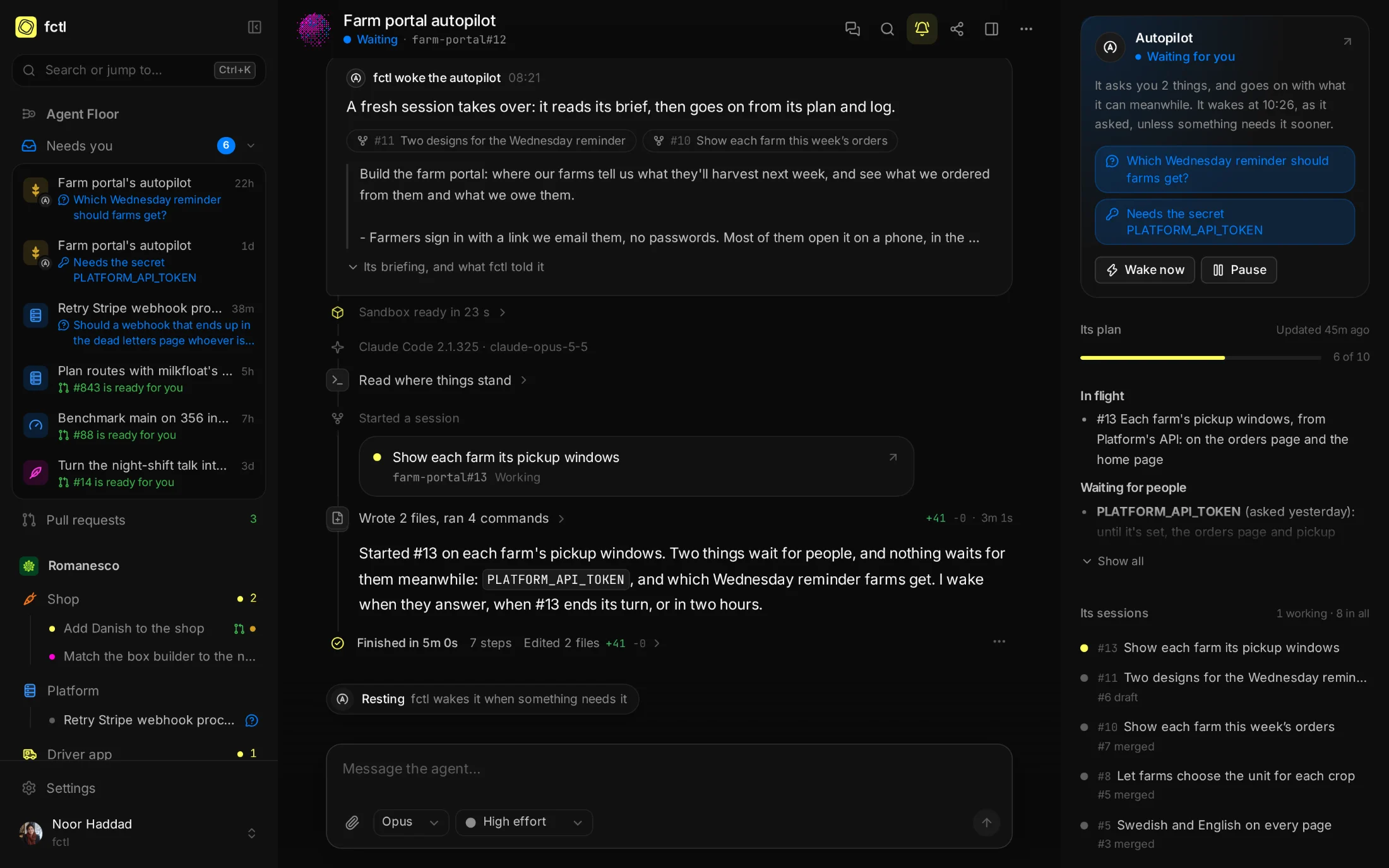
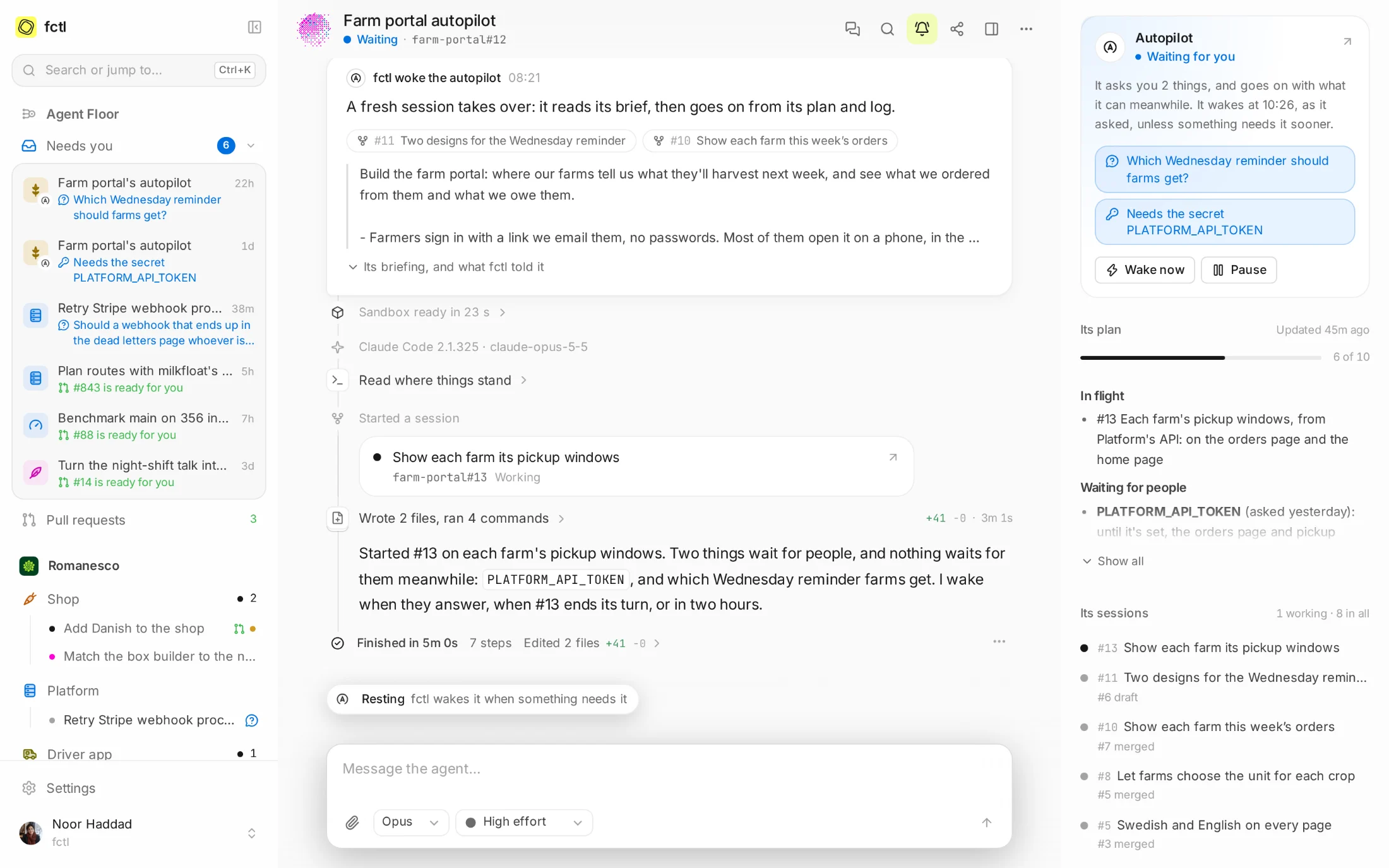
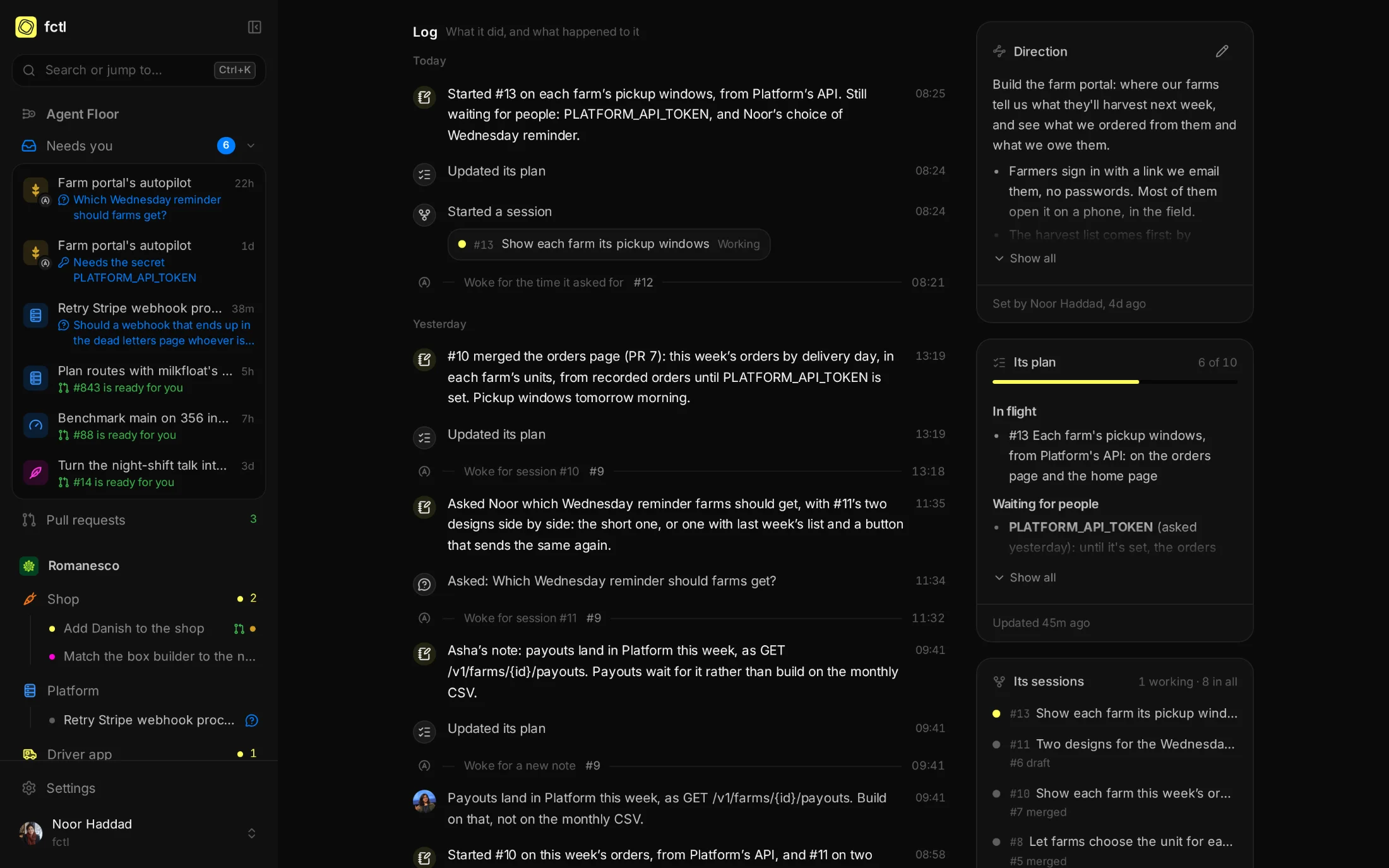
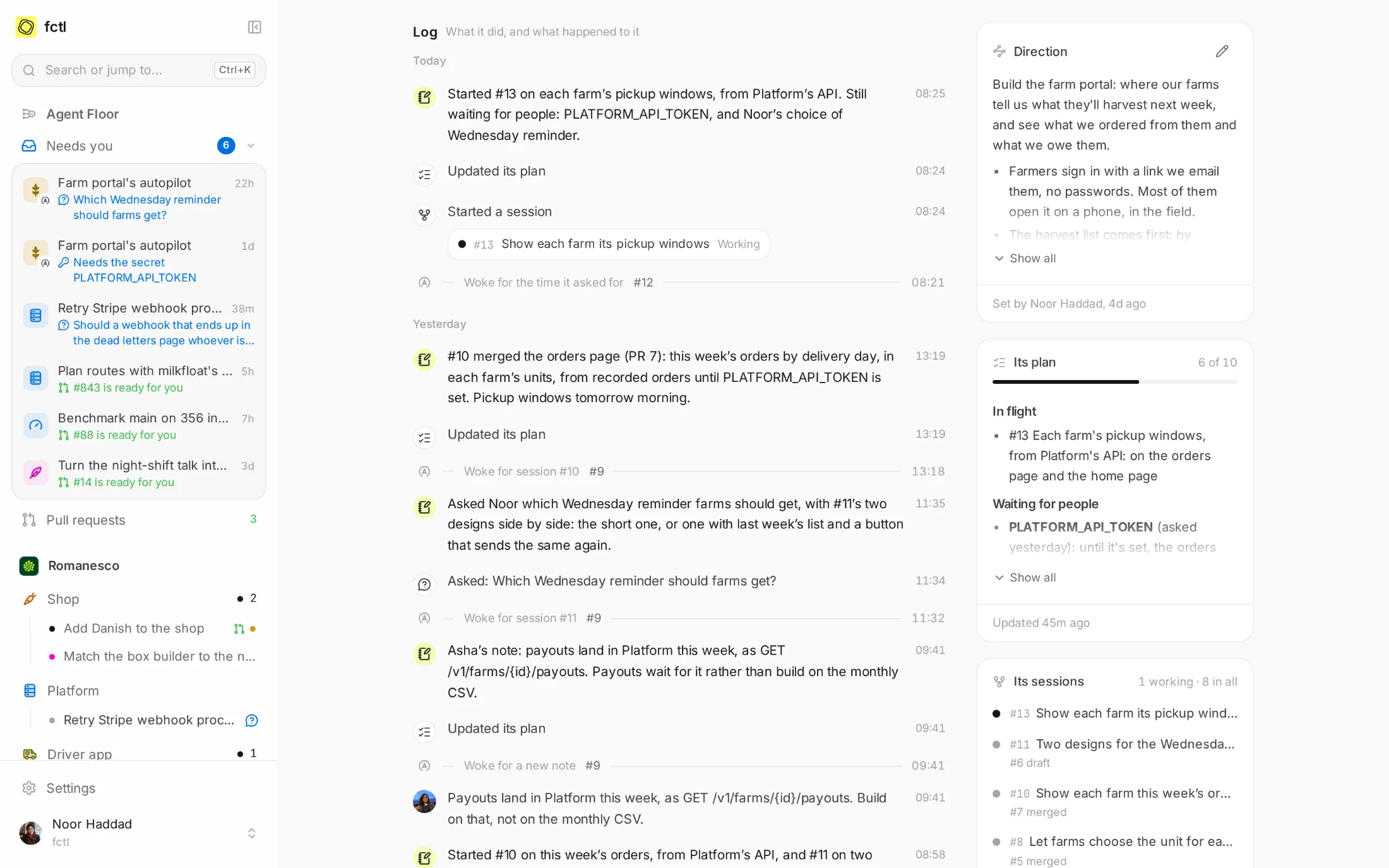
The autopilot's session #12 on Tuesday morning: fctl wakes it, a fresh session that reads where things stand, starts #13 on each farm's pickup windows as a live card, and says what waits for people before it rests; beside it, its asks, plan and sessions. The autopilot's session #12 on Tuesday morning: fctl wakes it, a fresh session that reads where things stand, starts #13 on each farm's pickup windows as a live card, and says what waits for people before it rests; beside it, its asks, plan and sessions.
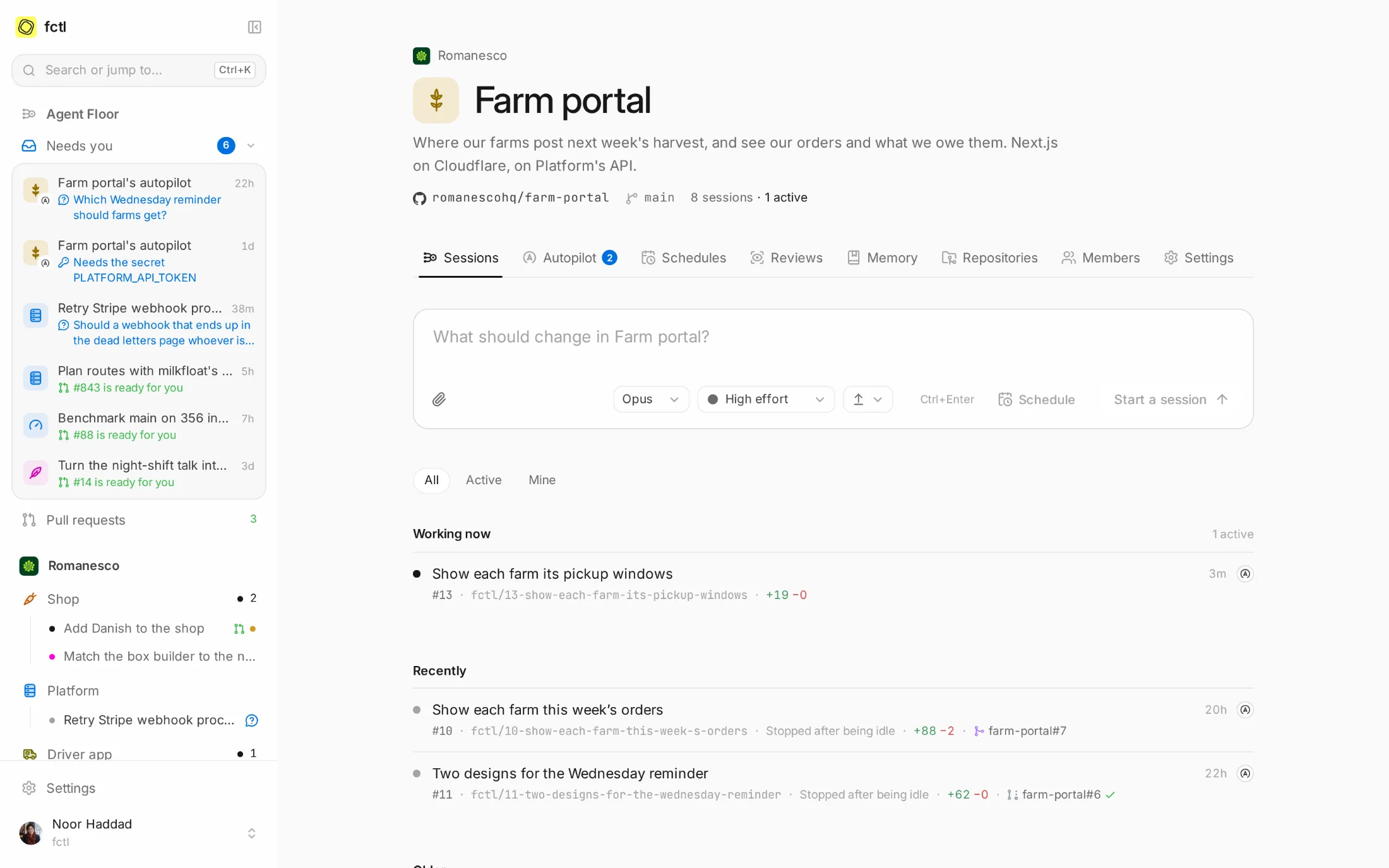
Farm portal's sessions, each with the autopilot's mark: #13 working now, #10 and #11 stopped after being idle. Farm portal's sessions, each with the autopilot's mark: #13 working now, #10 and #11 stopped after being idle.

Walk on site whenever you like.

Leave it a note: a priority, a constraint, something it should know. A note stays until someone removes it, and the newest wins, over older ones and over the direction. It wakes within seconds, and its tab says when it saw each note.

The other way round, it asks you only what's yours to decide: a question with answers to click and whatever helps you answer, like two designs side by side. You hear of it on your phone too, it gets on with what it can meanwhile, and your answer wakes it within seconds.

  • Yours to stop. Pause it, resume it, wake it, hand it to a fresh session, or take the project off autopilot.
  • People's sessions stay theirs. It never messages or stops a session someone started.
  • But their pull requests are its concern. Once one looks ready or stuck, it asks whether to help get it merged, and with your yes, a session of its own brings it up to date and merges it.

Steer it

A priority, a constraint, context it should know

It hears it at once, and keeps it until you remove it. A newer note wins. Add note
  • Jonas WeberSun 19:02Seen

    Farms count in crates, bunches and kilos, and it differs by crop: a crate of carrots is about 10 kg. Let each farm choose the unit for each crop.

  1. Woke for a new note
  2. Started farm-portal#8 Let farms choose the unit for each crop
  3. Updated its plan

Nothing ships until it's checked.

A session that says it's done has said so, not shown it. The autopilot reads its last turn before it takes its word, asks for screenshots of the case that matters rather than the empty one, and pushes back with one concrete thing when a pass finds nothing to fix. Review agents read every commit too, and what they find goes back to the session that wrote it.

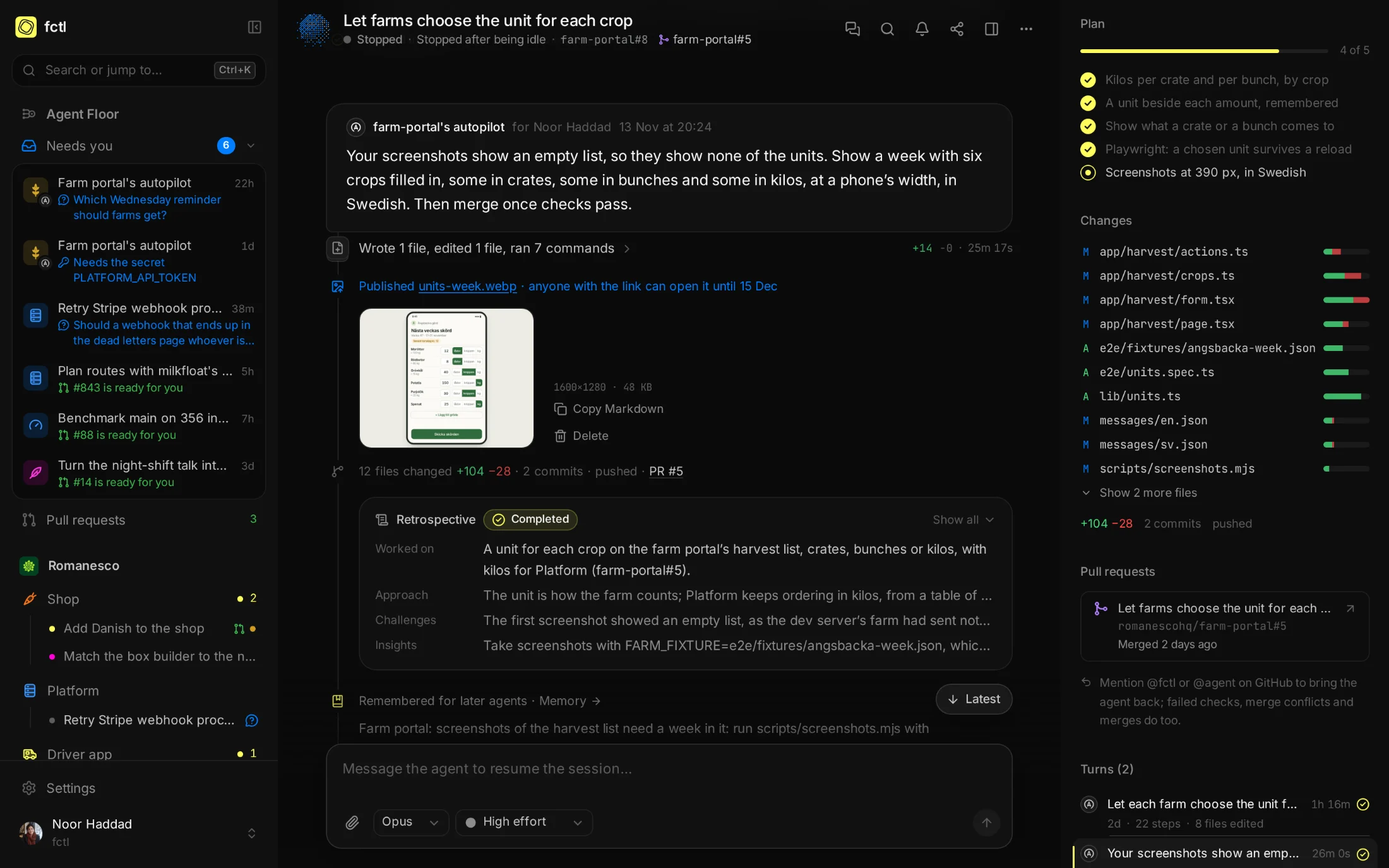
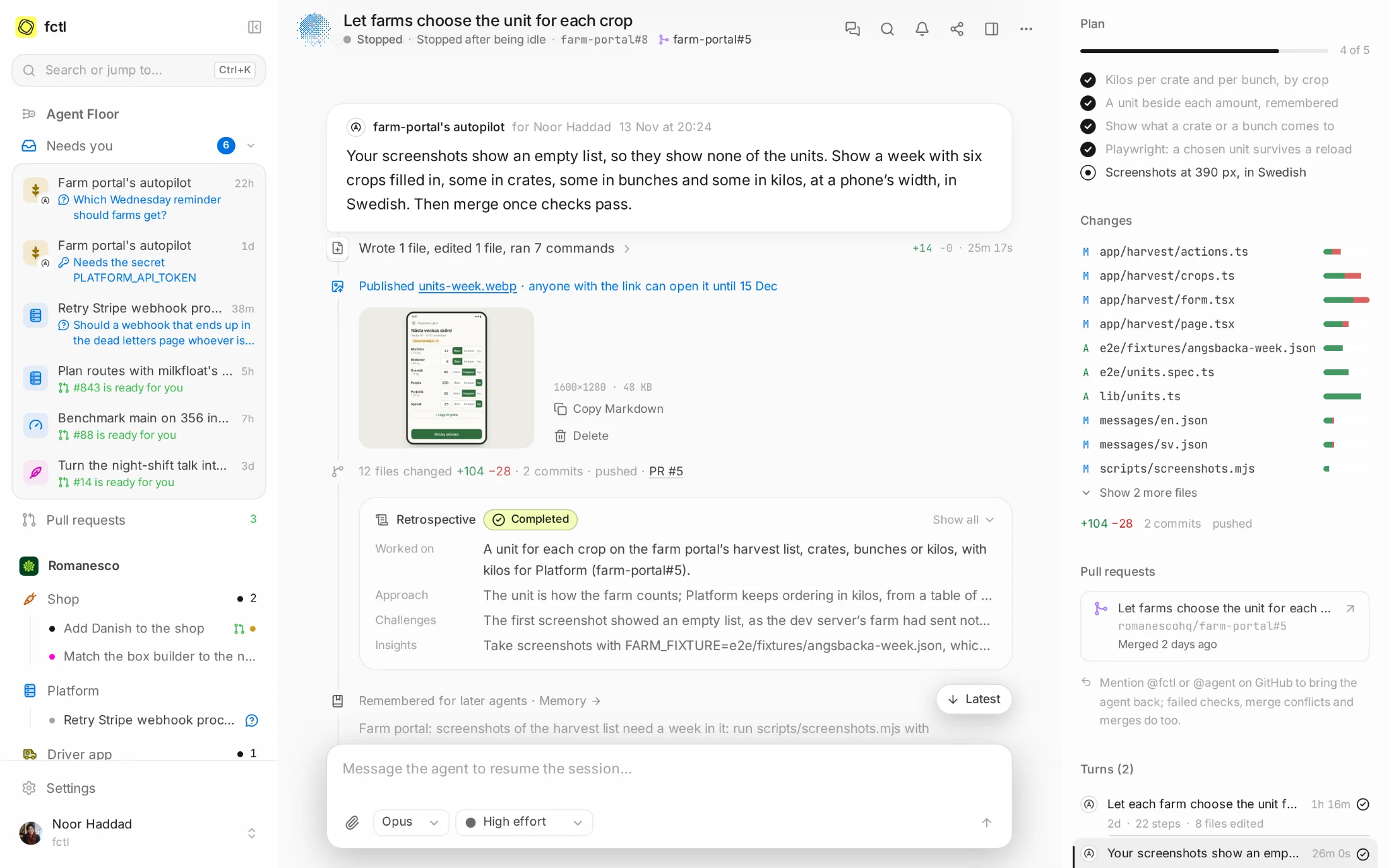
farm-portal's autopilot, to farm-portal#8 Your screenshots show an empty list, so they show none of the units. Show a week with six crops filled in, some in crates, some in bunches and some in kilos, at a phone's width, in Swedish. Then merge once checks pass.
farm-portal#8, sent back by the autopilot because its screenshot showed the harvest list empty, answers with a week of six crops in crates, bunches and kilos, and records its retrospective. farm-portal#8, sent back by the autopilot because its screenshot showed the harvest list empty, answers with a week of six crops in crates, bunches and kilos, and records its retrospective.

A long weekend on autopilot.

Noor put Farm portal on autopilot on Friday at 17:40 and went home. This is what it did until Tuesday's breakfast: every session it started, what it asked, and the four times people stepped in.

  1. Friday

    1. Noor puts Farm portal on autopilot.
    2. Plans the portal, and starts #2, #3 and #4: deploys, sign-in, and two designs of the harvest list.
    3. Asks for RESEND_API_KEY, for the sign-in links.
    4. Tomás gives it the shop's.
    5. #2 merges: deploys to Cloudflare, with previews.
    6. Starts #5: Swedish and English on every page.
    7. #3 and #5 merge: sign-in, Swedish and English.
    8. Writes the project's instructions for the sessions after them.
    9. Asks Noor which harvest list farms should get, with two designs.
  2. Saturday

    1. Noor answers from her phone: a list per crop.
    2. A fresh session takes over, and tells #4 to build that one.
    3. #4 merges: the harvest list, a row per crop.
  3. Sunday

    1. Looks in at the time it asked for. Nothing needs it.
    2. Jonas leaves a note: farms count in crates, bunches and kilos.
    3. Starts #8: let farms choose the unit for each crop.
    4. Sends #8 back: its screenshot shows the list empty.
    5. #8 merges, with a week filled in.
  4. Monday

    1. A fresh session takes over, at the time it asked for.
    2. Asks for PLATFORM_API_TOKEN, for the orders page.
    3. Starts #10 on this week's orders, and #11 on two designs of the Wednesday reminder.
    4. Asha leaves a note: payouts land in Platform this week.
    5. Asks Noor which Wednesday reminder farms should get.
    6. #10 merges: this week's orders.
  5. Tuesday

    1. A fresh session takes over, at the time it asked for.
    2. Starts #13 on each farm's pickup windows.
    3. Two asks wait for Noor, #13 works, and it wakes again at 10:26.
It wakes Its sessions at work People step in A pull request merges

What wakes it

Between wakes its own session rests, and uses none of your plan. Each wake brings what's new since the last: notes, answers, its sessions that moved, people's pull requests left open.

  • Its check-inAt least this often: every 15 minutes to once a day.
  • A session's turn endsA minute later, with any others that ended meanwhile.
  • You steer or answerFive seconds later, so that answers given in a row go together.
  • A pull request mergesOr closes, for a session of its own that rests.
  • The time it choseWhen it knows when to look again: 5 minutes to a day ahead.
  • You wake itFrom its tab, or with fctl autopilot wake.

It never loses the thread.

It doesn't run in one endless conversation. A fresh session takes over every 12 hours, or once its context grows past the size you choose, and starts from what it wrote down: its plan, its log, and the project's memory, which you read too. Each wake's message says the time and what changed, so that it starts every turn from where things stand rather than from where it left them.

The autopilot's log by day, its wakes between what it did, beside its direction, its plan, 6 of 10 done, and its sessions, 1 working of 8. The autopilot's log by day, its wakes between what it did, beside its direction, its plan, 6 of 10 done, and its sessions, 1 working of 8.

Within the limits you set.

It acts as you, with a maintainer's role at most, in its own project. Its sandbox holds no token: its requests go through its session to fctl, which answers each as anyone's, held to its project and its powers. Its access ends with its session.

It may

  • Always: read its project's sessions, schedules, repositories, memory and the names of its secrets.
  • Always: start sessions, and message, stop, resume or archive the ones it started; keep the project's memory.
  • Merge, once checks pass: its sessions merge their own pull requests.
  • Settings: change the project's settings and its review agents.
  • Secrets: set them, and replace or remove only the ones it set.
  • Repositories and schedules: add them, change them, remove them.
  • Projects, for a workspace's autopilot: create them.

It never

  • Changes people, roles, shares or access tokens.
  • Touches runners, GitHub accounts or the workspace's settings.
  • Deletes a project, or does anything that takes confirming it's you.
  • Messages or stops a session someone started.
  • Starts more sessions at once than you allow, or more than 20 an hour.

Or the whole workspace.

A workspace's admins can put all of it on autopilot, from one of its projects. It starts sessions in any of them, and creates new projects as the work needs them. What it does across the workspace is its admins' to see and steer: everyone else sees that it runs, and its sessions in their projects, with its mark.

From your terminal, too.

Everything the tab does, fctl autopilot does: put a project on autopilot, steer it, answer it, give it the secret it asked for without showing what you type, pause it. In its own sandbox, the autopilot uses the same command to keep its plan and log, and to ask you.

fctl autopilot in the docs
noor@Noors-MacBook-Pro ~/src/farm-portal

fctl autopilot on -p farm-portal --direction-file direction.md --sessions 3 --check-in 2h

✓ farm-portal is on autopilot: it wakes now, on your Claude subscription. Follow it with fctl autopilot -p farm-portal.

fctl autopilot steer -p farm-portal "Let each farm choose the unit for each crop."

✓ It hears your note now, and keeps it until someone removes it

fctl autopilot answer -p farm-portal apa_01M7… "The short one"

✓ Answered: it hears now

fctl autopilot secret -p farm-portal apa_01M7…

Value of PLATFORM_API_TOKEN (input hidden):

✓ Set PLATFORM_API_TOKEN in farm-portal's secrets: the autopilot hears it's set, and sessions that start from now on have it

In the docs

How an autopilot wakes, what it may do, and what it asks.

Start a factory tonight.

curl -fsSL https://fctl.sh/install | sh